Forge: Analyzing the Tool-Calling Reliability Layer for Self-Hosted LLMs

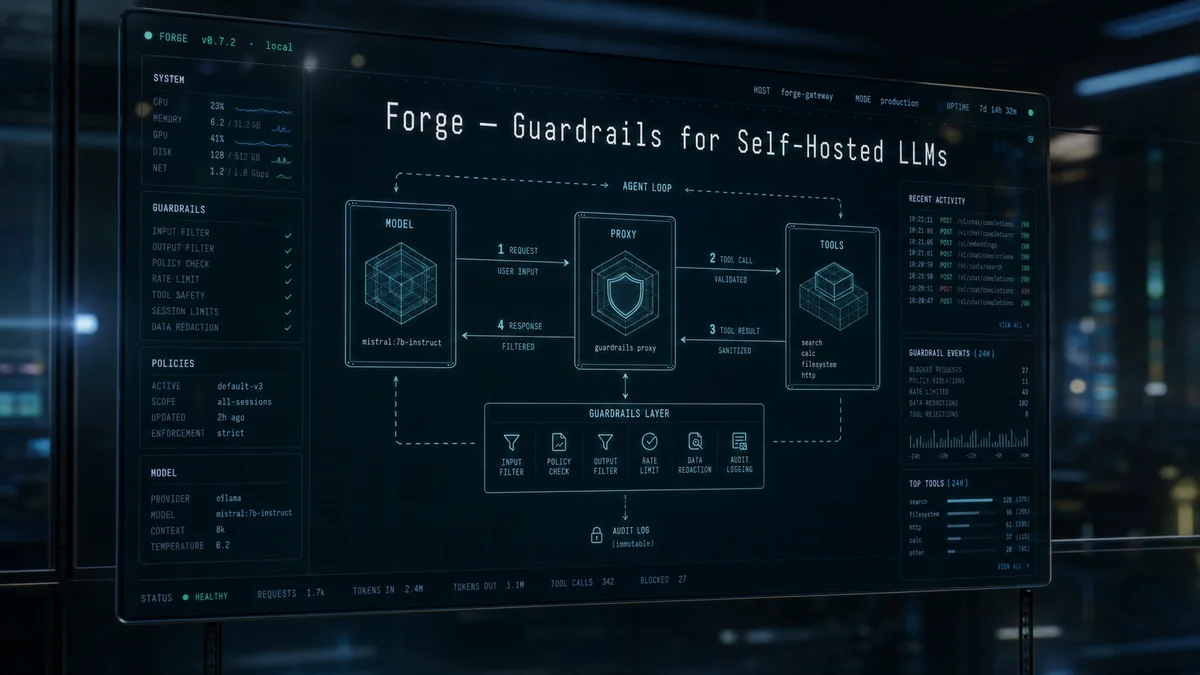
Forge is a reliability layer designed to make tool calling safe and consistent for self-hosted LLMs running on local or managed backends. Based on the public README and documentation—including project structure, proxy behavior, the workflow runner, and evaluation harness—this post summarizes its core design, operating modes, and considerations for practical adoption.
Overview
Forge offers three primary usage modes—proxy server, WorkflowRunner, and guardrails middleware—each with a different scope of control and state-management requirements. Its central objective is to let a model call tools in an arbitrary order while guaranteeing the calls' format, consistency, and execution success. According to the README, the main guardrails are response validation, rescue parsing of unstructured tool calls, an error-tracking retry loop, and injection of a synthetic respond tool for small models.
Core components
- Proxy mode: emulates OpenAI chat-completions and Anthropic Messages-compatible endpoints and applies guardrails within one request while sitting between client and backend. It is a lightweight adoption path that does not require rewriting existing tool-calling clients such as opencode and aider.
- WorkflowRunner: loads workflow definitions containing the tool set,
required_steps,prerequisites, andterminal_tool, then manages the full multi-turn agentic loop. It provides deeper control than the proxy, including prerequisite enforcement, step-order validation, and context compaction. - Guardrails/Middleware: a validation, structural-recovery, and retry stack that can be inserted into an external orchestration loop, acting as a functional intermediate layer that improves tool-call reliability.
Design details: protection provided by the proxy
The README describes the proxy's processing sequence as follows:
- Response validation: checks every tool call returned by the model against the
toolsspecification in the request, blocking unknown tool names and malformed arguments. - Rescue parsing: when a model emits a tool call in an irregular form, such as JSON inside a code fence, Mistral
[TOOL_CALLS], or Qwen XML, it extracts the call and reconstructs the canonical OpenAItool_callsschema. The README reports particularly strong effectiveness with the Mistral family. - Retry loop: on validation failure, retries up to
--max-retries, three by default, while injecting a corrective message to elicit the proper form. From the client's perspective, the single request incurs additional latency rather than returning a failure. - Synthetic
respondtool injection: when a request contains tools, forces the model to call arespondtool rather than emit text directly, mitigating confusion between text and tool calls in smaller models. The README says this is particularly effective for local models around 8B parameters.
Limitations of proxy mode from the README
- Because the proxy operates at the boundary of a single-shot request, it does not directly provide global multi-turn workflow state such as prerequisite enforcement or step ordering. Use WorkflowRunner when those features are required.
- Context compaction, including rolling-window management, and VRAM-aware budget monitoring are primarily the client's or runner's responsibility; by default the proxy uses values reported by the backend. The README documents an optional
--budget-modeflag.
Evidence excerpted directly from the documentation
"Reasoning replay defaults to
none: Forge still captures reasoning for observability, but keeps it out of backend-facing history on later turns — the most token-efficient policy, and statistically indistinguishable from replay-all on the eval suite (see reasoning-replay results)."
This statement shows that Forge's reasoning-replay policy trades off token cost against observability. However, the evaluation results in the README and documentation were obtained for specific versions and configurations, such as the v0.7.0 evaluation suite, and do not justify generalizing the same gain to every backend and model combination.
Performance and evaluation caveats
The project provides an evaluation harness with 26 scenarios. The README includes examples of success-rate gains for particular models and settings, such as an 8B model improving from 8% to 84%. The documentation also notes that some figures come from earlier versions, including Sonnet measurements for Anthropic from v0.6.0, making them difficult to generalize without reproduction. Run the evaluation against your own backend and model combination before deployment.
Operational considerations
- Backend compatibility: the README lists support for Ollama, llama-server, Llamafile, vLLM, Anthropic, and other backends. Understand each backend's native function-calling support and server-specific behavior; for example, vLLM strictly validates
served-model-namematching. - Failure and retry policy: the default of three retries is small, but injecting corrective messages during retries requires well-designed error-nudge templates. The README provides a
nudgestemplate directory. - Multi-agent environments: Forge is not an agent orchestrator; it makes one agentic loop robust. Coordination of multi-agent graphs and DAGs is outside its scope. SlotWorker's priority queue and slot-preemption features can nevertheless be useful in shared-GPU environments.
Term explainers
Plain definition: a set of safety mechanisms that automatically validate, correct, and constrain formatting and logical errors when a model calls a tool and returns a result. Everyday example: it resembles validation logic in a banking system that blocks a transaction and requests new input when an account number has the wrong format.
Plain definition: an imperative interface that lets an LLM invoke an external function or interact with an external system such as a weather API or database instead of returning only text. Everyday example: when a smartphone assistant is asked whether an umbrella will be needed tomorrow, it calls a weather API and returns the answer.
Plain definition: an intermediate layer between a client and LLM backend that intercepts requests and responses and performs validation, rewriting, and retries. Everyday example: it resembles an email spam filter inspecting, blocking, or modifying messages between a client and mail server.
Practical adoption checklist
- First verify that Forge supports your backend, especially its native function-calling support.
- Proxy adoption is a good way to improve reliability quickly without refactoring code. If multi-turn workflow state is required, move to WorkflowRunner.
- Use the evaluation harness to verify success rate and reproducibility in your environment. The README's figures are based on specific configurations and should be tested rather than accepted directly.
- For small models around 8B parameters, synthetic
respondand rescue parsing have a large effect. Larger models may exhibit different interaction patterns, so experiments are necessary.
Included repository badges and why they matter
This badge shows that the project is distributed on PyPI and can be installed with pip. Packaged distribution lowers the adoption barrier for a quick proof of concept in an operating environment.
This badge indicates test coverage, or at least the presence of a test hub. A test and regression-validation pipeline is critical when applying a reliability layer in production.
The project specifies Python 3.12 or later as a runtime requirement. Check the operating environment's Python version and library compatibility before deployment.
The three images above come from README badges and are useful for quickly identifying installation, testing, and runtime prerequisites.
Conclusion and recommended experiments
Forge provides a practical set of guardrails for tool calling with self-hosted LLMs and claims particularly meaningful advantages for using local models around 8B parameters reliably. Because effects and public evaluation figures can vary by environment and configuration, I recommend:
- building a quick PoC in proxy mode to verify compatibility with an existing client such as opencode
- running the evaluation harness on your backend and model to measure success rate and reproducibility
- moving to WorkflowRunner for global state when the workflow requires complex prerequisites and enforced step order
Note: this post summarizes and interprets the public README, documentation, project tree, and direct README quotation. It does not include private experimental results or internal notes outside the repository. Some figures and claims are explicitly based on particular source versions and configurations, so revalidate them before production use.
Sources
- antoinezambelli/forge (GitHub) — license:
MIT, retrieved:2026-07-06. - Image: AI-generated cover image via OpenRouter — license:
ai-generated-original.