Open WebUI: Technical and Product Analysis of a Local AI Interface and Self-Hosted Platform

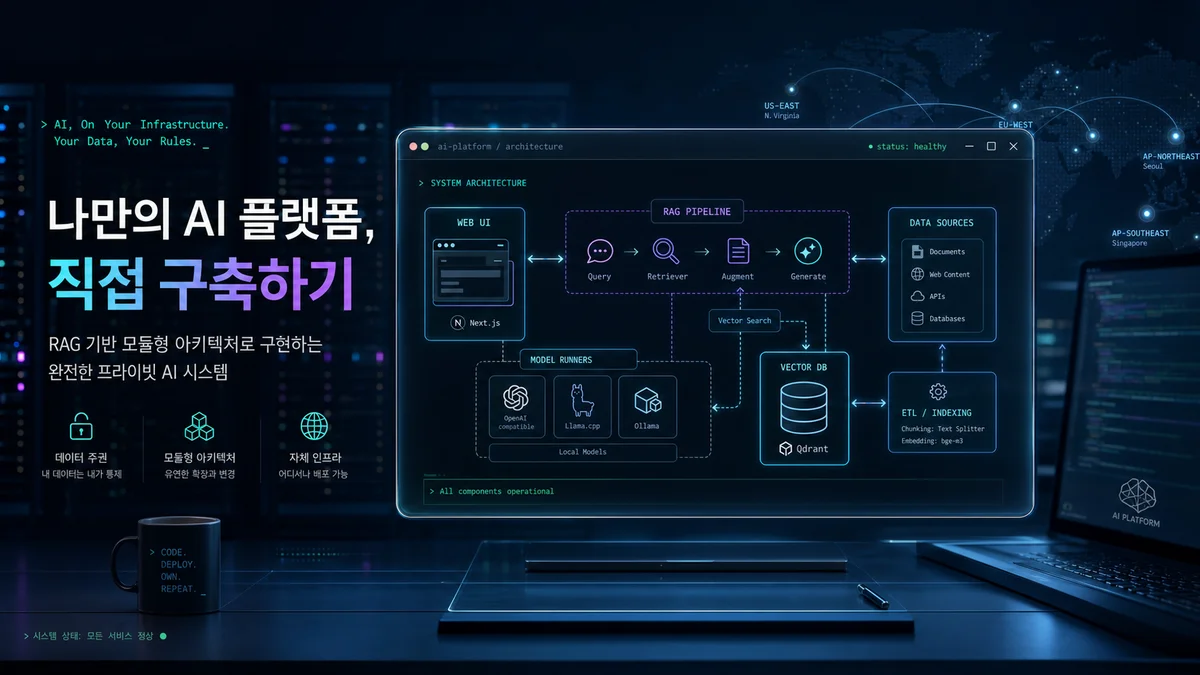
Open WebUI is an open-source project that aims to provide a self-hosted AI platform. It highlights connections to both local model runners such as Ollama and OpenAI-compatible APIs, along with an inference engine that includes retrieval-augmented generation (RAG). This article organizes and analyzes its main technical elements and operational perspective based on a public summary of the GitHub repository, including documentation, README, and feature list. The source includes core features and deployment options such as a Python package, Docker, Kubernetes, and Helm. However, fully understanding every internal implementation detail, including specific optimizations and model-cache strategies, requires direct review of the repository's complete source code and documentation, so some points are explicitly marked as uncertain.
The star-history image above visualizes the project's public popularity and growth, making it useful for quickly judging community size and adoption trends. Its source is the star chart included in the repository README.
Technical Summary
- Deployment options: official support includes pip/uv, Docker images with standard,
:ollama, and:cudatags, Docker Compose, and Kustomize and Helm templates for Kubernetes. This design considers scaling from single-node testing in development to multi-node GPU operation. - Model integration: local Ollama models and OpenAI-compatible APIs can be connected at the same time. External endpoints such as LMStudio, GroqCloud, Mistral, OpenRouter, and vLLM can be targeted to support mixed-model configurations.
- RAG and search: local RAG integration is provided. Nine vector databases—ChromaDB, PGVector, Qdrant, Milvus, Elasticsearch, OpenSearch, Pinecone, S3Vector, and Oracle 23ai—and multiple content-extraction engines such as Tika, Docling, and Mistral OCR support hybrid search combining BM25 and vectors, as well as reranking.
- Extensibility and operability: Redis session management and WebSocket support enable multi-worker and multi-node deployments. Explicit OpenTelemetry integration for traces, metrics, and logs provides production observability.
- Authentication and authorization: LDAP and Active Directory integration, OAuth, and SCIM 2.0 automatic provisioning support enterprise authentication and provisioning scenarios.
- Multimodal support: image-generation and editing engines such as ComfyUI, AUTOMATIC1111, and DALL·E, along with audio and video input/output pipelines including local Whisper, are supported. A PWA also provides mobile and offline accessibility.
Plain definition: short for Retrieval-Augmented Generation, a method that combines external documents or search results with model input to generate more accurate and grounded responses. Example: giving an AI a cookbook from your home—the search result—so it can find a specific recipe and explain the cooking method more accurately.
Operational and Safety Considerations
- Data location and privacy: because the platform is self-hosted, documents, vector indexes, and files can be kept locally or in the customer's cloud. Connecting an external search provider such as Google or Bing to RAG may expose data while transmitting search results, so policies are required.
Plain definition: a database designed to store high-dimensional vectors, or embeddings, and perform fast similarity search. Example: a music-recommendation service that stores song characteristics as numerical vectors and finds tracks with a similar mood.
- Permissions and access control (RBAC): according to the documentation, fine-grained roles, groups, and permission settings control feature access by user or group. Strictly separating read, write, and search permissions is recommended for sensitive data.
Plain definition: Role-Based Access Control, a method that assigns permissions according to a user's role. Example: at a company, a developer may have write access to a code repository while an auditor has read-only access.
Performance and Scaling Strategies Based on Documented Features
- Separation of model runners: local runners such as Ollama can be mixed with remote OpenAI-compatible backends, enabling latency-sensitive tasks to run on local GPUs and high-volume workloads to be distributed to cloud APIs.
- Session and state management: Redis-backed session management and real-time chat workflows over WebSockets provide state consistency and scalability in multi-process environments.
Plain definition: one of the model runners or services for managing and hosting LLMs locally. Open WebUI supports it to run local models. Example: using a local runner such as Ollama to operate a personal voice-assistant model at home.
Modules and Extensibility
Open WebUI emphasizes a plugin extension model with filters, actions, pipes, tools, and skills. Its strengths include integration with external services such as MCP, MCPO, and OpenAPI tool servers, plus reusable configurations through community presets and imports. It also provides collaboration and state-preservation features such as notes, channels, and persistent memory, positioning itself as a work platform beyond a simple chat interface.
Production-Adoption Checklist
- Choose a deployment strategy: single server versus multi-node Kubernetes, for which Kubernetes and Helm templates are provided.
- Define the model topology: establish a policy combining local GPUs such as Ollama with cloud APIs, evaluating cost, latency, and data-leakage risk.
- Design the search and RAG pipeline: choose a vector database based on operating cost, replication and backup, and latency, then configure a content-extraction engine.
- Address security and compliance: integrate LDAP, SSO, and SCIM; define sensitive-data access policies; and account for the repository's security-reporting process.
- Configure observability: set up OpenTelemetry for traces, metrics, and logs, along with dashboards that measure cost and token usage.
- Review license and branding: the repository documentation mentions the Open WebUI License and branding-retention requirements. Commercial adoption therefore requires review of the license terms. The source contains related files and notes, but legal review is a separate task.
Reference Image: UI Demo

The demo screenshot above is useful for quickly understanding the intended user experience: a web UI, conversational interface, and workflows. Themes, access controls, and plugin configuration may change the UI in a real deployment, so treat the screenshot as a functional example.
Conclusion and Uncertainty
This analysis is based on the GitHub repository's README, documentation, and summary sections. The repository contains additional code and configuration files, including Docker Compose, Helm, and various scripts. Anyone performing a real deployment should inspect the source code and operational documentation directly to verify implementation details and security and licensing terms. Some internal implementations, such as model-cache strategies and reranking-algorithm parameters, are also difficult to determine completely from the public documentation and require additional validation.
Consulting the original source and complete documentation at docs.openwebui.com is recommended before actual configuration and testing.
Sources
- open-webui/open-webui (GitHub repository) — license:
unknown, retrieved:2026-07-06. - Image: AI-generated cover image via OpenRouter — license:
ai-generated-original.